Week 07
We're gonna build a simple registration system that has two pages as the following:
Register Page:
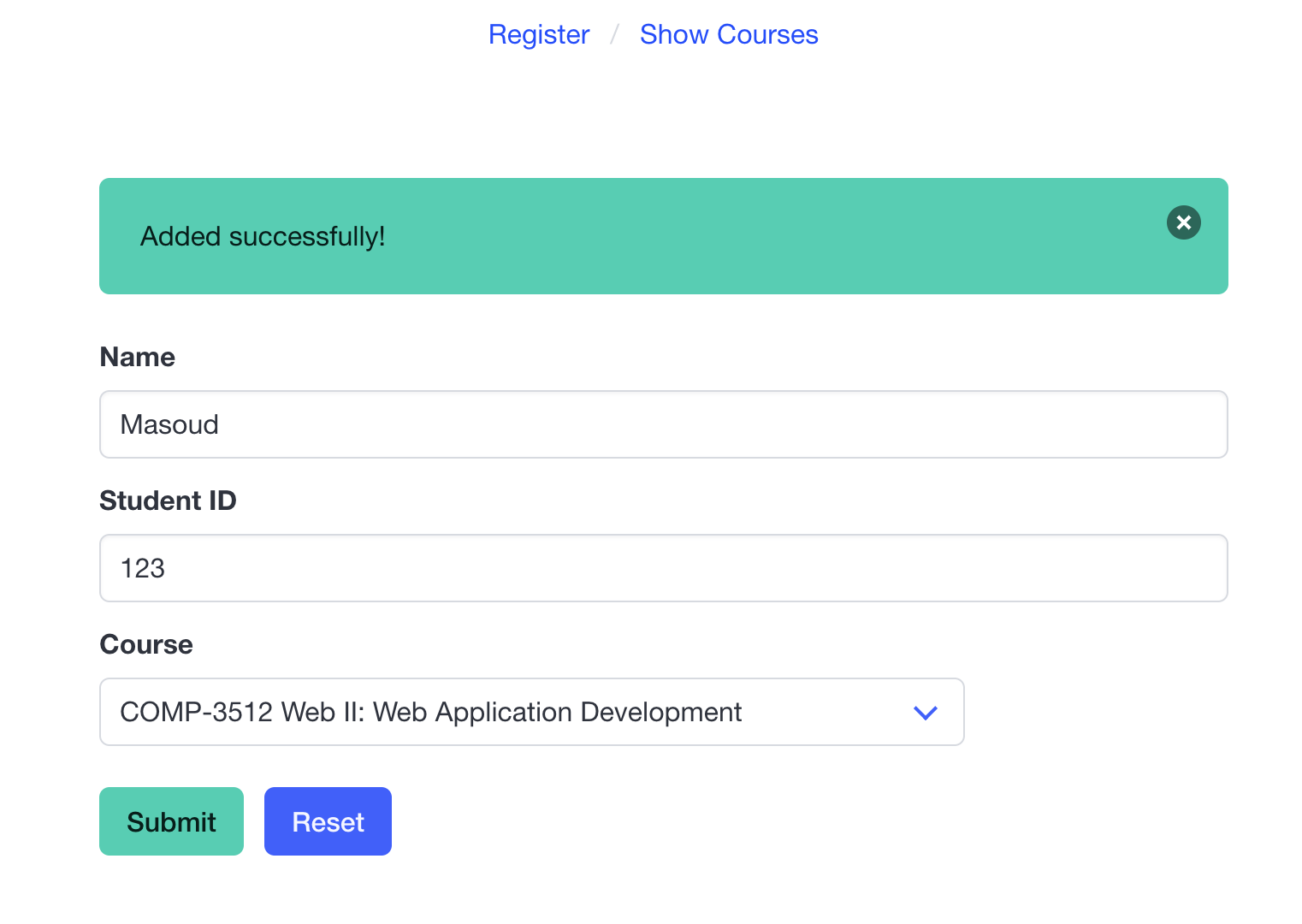
List Page:

What We Need:
The back-end server will be running in a Docker container. Run it using the following command:
docker run --rm -p 8080:8080 masoudkf/registration
There are three paths on the server we'll be using:
GEThttp://localhost:8080/coursesto get the list of courses available for registrationGEThttp://localhost:8080/registrationsto get the list of registrations in the systemPOSThttp://localhost:8080/registrationsto register a student for a course
Here's the HTML starter code for the pages. Note that they both use the Bulma CSS framework.
index.html: for registration page
<!DOCTYPE html>
<html lang="en">
  <head>
    <meta charset="UTF-8" />
    <meta name="viewport" content="width=device-width, initial-scale=1.0" />
    <title>Register</title>
    <link rel="stylesheet" href="bulma.min.css" />
    <script src="register.js" defer></script>
  </head>

  <body>
    <div class="container">
      <nav class="breadcrumb is-centered mt-2" aria-label="breadcrumbs">
        <ul>
          <li><a href="index.html">Register</a></li>
          <li><a href="courses.html">Show Courses</a></li>
        </ul>
      </nav>
      <div class="columns">
        <div class="column mt-6 is-half is-offset-one-quarter">
          <div class="notification is-primary is-hidden">
            <button class="delete"></button>
            Added successfully!
          </div>
          <form action="" id="form">
            <div class="field">
              <label class="label">Name</label>
              <div class="control">
                <input
                  class="input"
                  type="text"
                  placeholder="Name"
                  name="name"
                  autocomplete="off"
                  required
                />
              </div>
            </div>

            <div class="field">
              <label class="label">Student ID</label>
              <div class="control">
                <input
                  class="input"
                  type="number"
                  placeholder="Student ID"
                  name="student_id"
                  required
                />
              </div>
            </div>
            <div class="field">
              <label class="label">Course</label>
              <div class="control">
                <div class="select">
                  <select name="course" required>
                    <option value="comp3512">COMP-3512</option>
                  </select>
                </div>
              </div>
            </div>

            <div class="field is-grouped mt-5">
              <div class="control">
                <button id="submit" class="button is-primary">Submit</button>
              </div>
              <div class="control">
                <button id="reset-form" class="button is-link">Reset</button>
              </div>
            </div>
          </form>
        </div>
      </div>
    </div>
  </body>
</html>
courses.html: for the list registrations page
<!DOCTYPE html>
<html lang="en">
  <head>
    <meta charset="UTF-8" />
    <meta name="viewport" content="width=device-width, initial-scale=1.0" />
    <title>Courses</title>
    <link rel="stylesheet" href="bulma.min.css" />
    <script src="courses.js" defer></script>
  </head>

  <body>
    <div class="container">
      <nav class="breadcrumb is-centered mt-2" aria-label="breadcrumbs">
        <ul>
          <li><a href="index.html">Register</a></li>
          <li><a href="courses.html">Show Courses</a></li>
        </ul>
      </nav>

      <div id="section-container">
        <section class="section">
          <h2 class="title">COMP-3512: Web II: Web Application Development</h2>
          <ul>
            <li>Masoud - 123</li>
          </ul>
          <hr />
        </section>
      </div>
    </div>
  </body>
</html>